Unlimited Local Transcription • No Uninvited Bots

Your AI Transcription Assistant  record, transcribe, and review audio right on your device

Built for meetings, conversations, interviews, lectures, and podcasts. Transcribe locally by default, even offline. On-device AI summaries on Mac, cloud summaries on iPhone, iPad, Android, and Windows.Try free, no credit card required.

One account works across iPhone, iPad, Mac, Android, and Windows.
OpenClaw is now supported on Mac. Learn More >>

Transcribe More Than Meetings

Sensitive conversation
Sensitive conversations

Built for professionals who need local AI transcription for sensitive conversations, interviews, and recordings that should not rely entirely on cloud-based transcription tools.

Real-world conversations

For journalists, consultants, trainers, recruiters, and others who need to record and transcribe real-world conversations — not just meetings inside a shared meeting app.

in-app audio
Long-form audio, multilingual transcription, and in-app audio

For research interviews, lectures, podcasts, field recordings, multilingual conversations, and app audio transcription — especially when minute-based transcription tools become expensive fast.


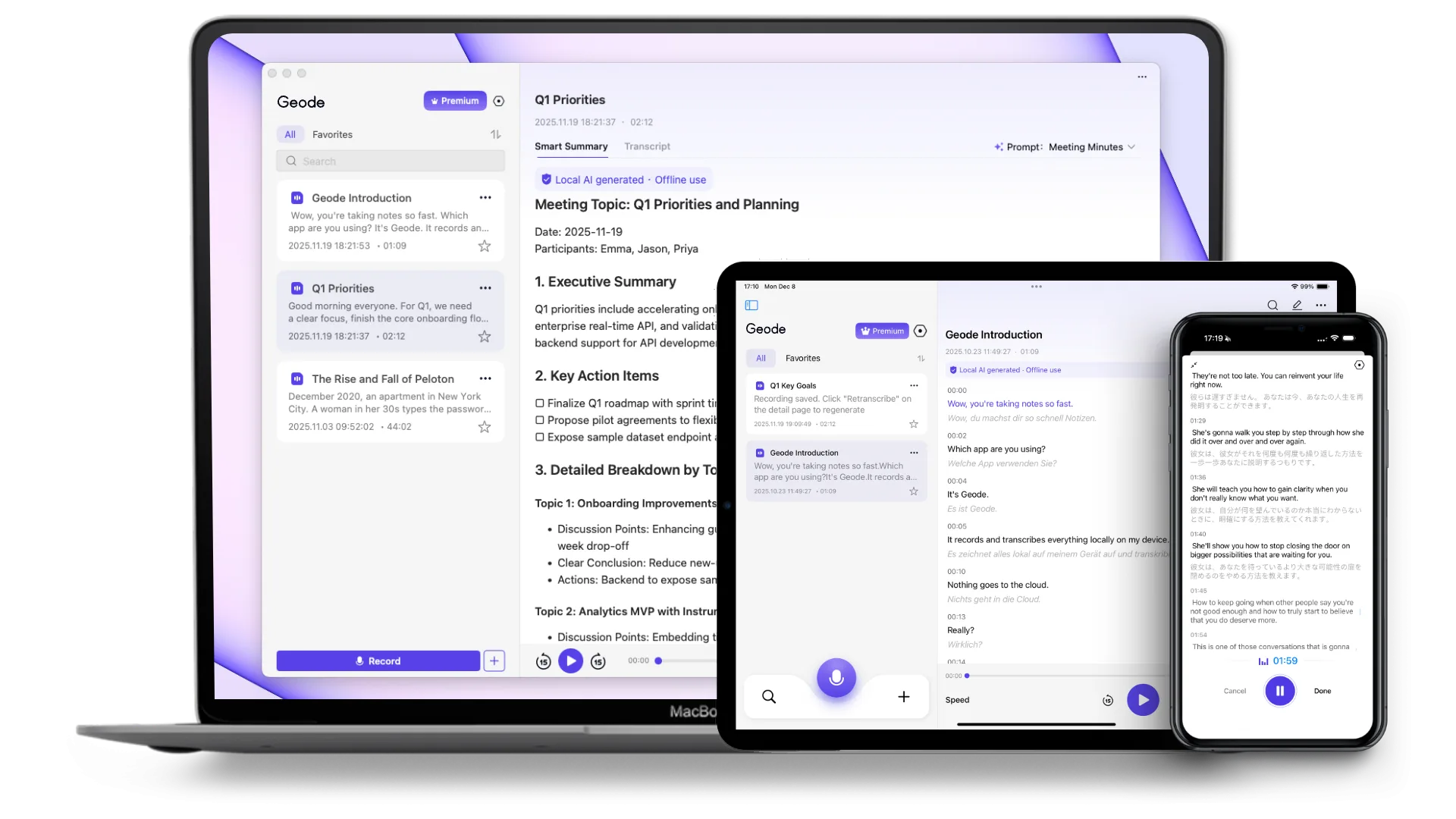
How Geode works on mobile, desktop, and across devices.

Each app stands on its own. Together they create a stronger local-first workflow across recording, transcription, review, and summaries.

1

On Mobile

A complete app on its own — built for speed and convenience.

  • Record meetings, interviews, conversations, and voice memos — and keep recording through screen lock and app switches
  • Capture audio playing inside other apps on your phone
  • Import audio and video files for transcription, translation, and review
  • Transcribe on-device in 90+ languages
  • Translate live with side-by-side bilingual text
  • Use cloud transcription and cloud summaries only when you choose to

Download Geode for Android

Requires 64-bit ARM device with Android 10.0 or later

2

On Desktop

Everything on your phone, plus a stronger local workflow for deeper review

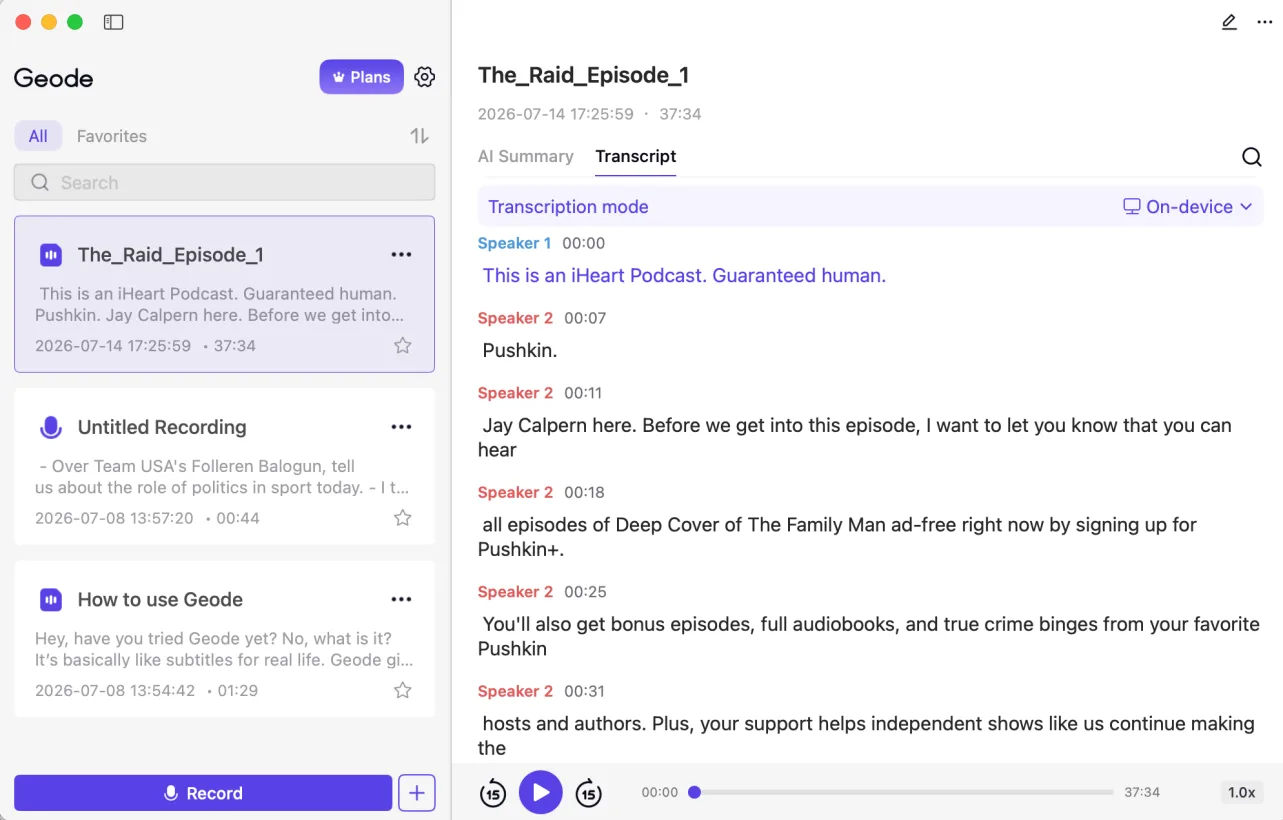
  • Higher-accuracy transcription in 90+ languages
  • Speaker separation — see who said what (Mac and Windows)
  • Smart summaries — with customizable templates (on-device Smart summary is Mac only).
  • Translate in 90+ languages on Mac
  • A full workspace for reviewing, correcting, and editing transcripts
  • Use cloud transcription and cloud summaries only when you choose to

Download Geode for Mac

Requires Apple Silicon (M1 or newer)

Download Geode for Windows

Requires Windows 10 64-bit+ with 8GB RAM and i5 8th Gen / Ryzen 3000 or newer

3

Across devices

Capture on the go. Review more deeply on desktop.

  • Record on your phone, then continue on desktop for a stronger local workflow — including higher-accuracy transcription, speaker separation, deeper editing, and on-device structured summaries.
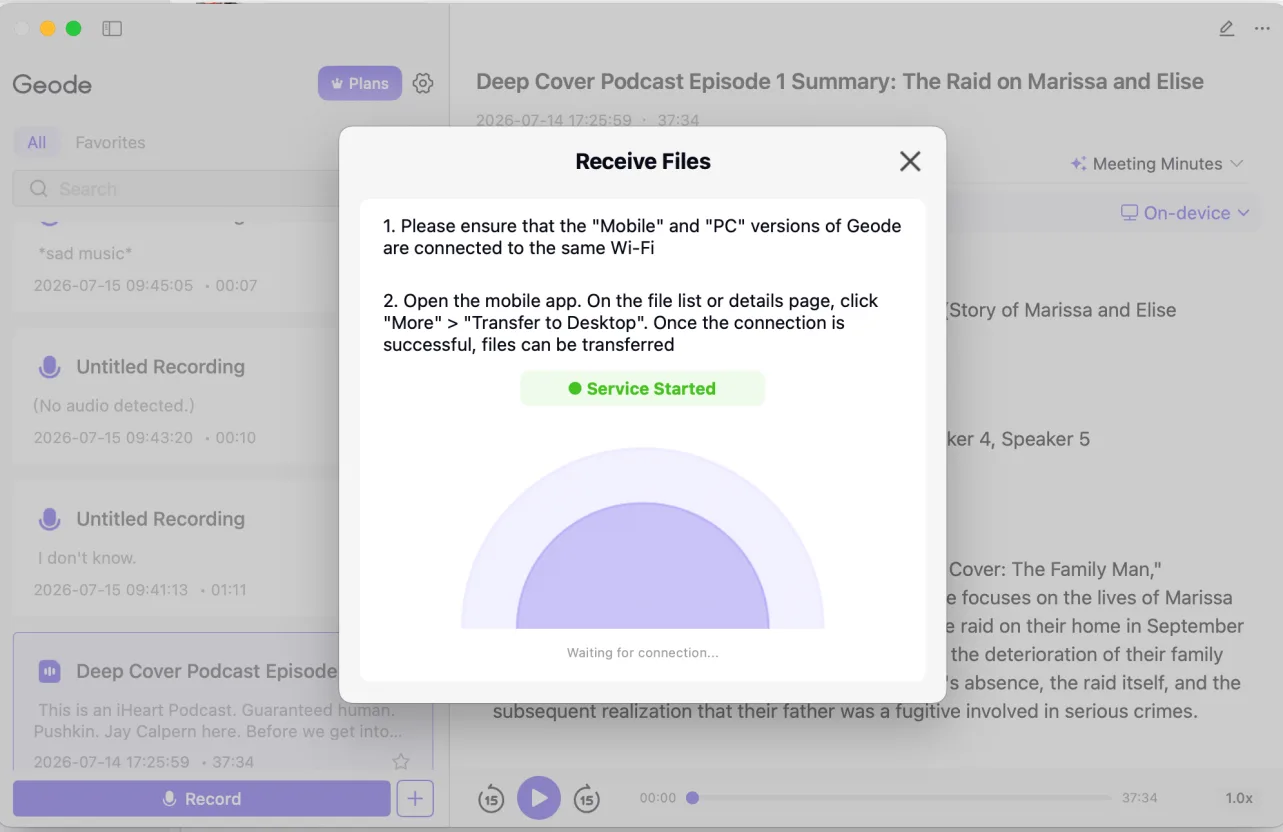
  • Send recordings from mobile to desktop over local Wi-Fi — no cloud uploads, no servers, no extra storage fees.
  • One account works across iPhone, iPad, Mac, Android, and Windows.
geode deco

Geode Review

Hear from real  talking.

From meetings to interviews to long recordings  here's what real users say. Store reviews, unedited.

Lena Roberts@1x
Amazing notetaker

Been using it to take notes during meetings. Super helpful. Also used the translation feature quite a bit with different languages, and very useful for real time translations.

Ethan Parker@1x
Very good offline transcription app

I’ve been looking for a transcription app that doesn’t push everything to the cloud. Geode actually works offline, and it’s reassuring knowing my audio isn’t being uploaded just to get a transcript. It’s become my go-to for meetings.

Marcus Lee@1x
Great for long recording

Geode has been really helpful for interviews and longer voice notes. I like being able to use it even when I'm not connected, and I feel better knowing my recordings stay on my own device. It saves me time, and I also don't have to stress about minute limits.

Why Geode Fits Better Than Other Local AI Transcription Apps

Cloud AI transcription tools

Built for online meetings and shared team workflows. But with cloud AI transcription tools, recordings are uploaded for processing, costs often scale by the minute, and long-form or sensitive conversations can become harder to manage.

Compare Geode with Otter AI →

Local AI transcription apps

Good at offline transcription and keeping audio local. But with many local AI transcription apps, once you need AI summaries, translation, or deeper review workflows, you often end up copying transcripts between multiple tools.

Geode

Record and transcribe conversations locally by default, with optional AI summaries and translation when you need them. No per-minute billing. No stitching tools together. Privacy and costs stay predictable.

Pricing

Simple pricing. Fixed cost. No per-minute transcription billing.

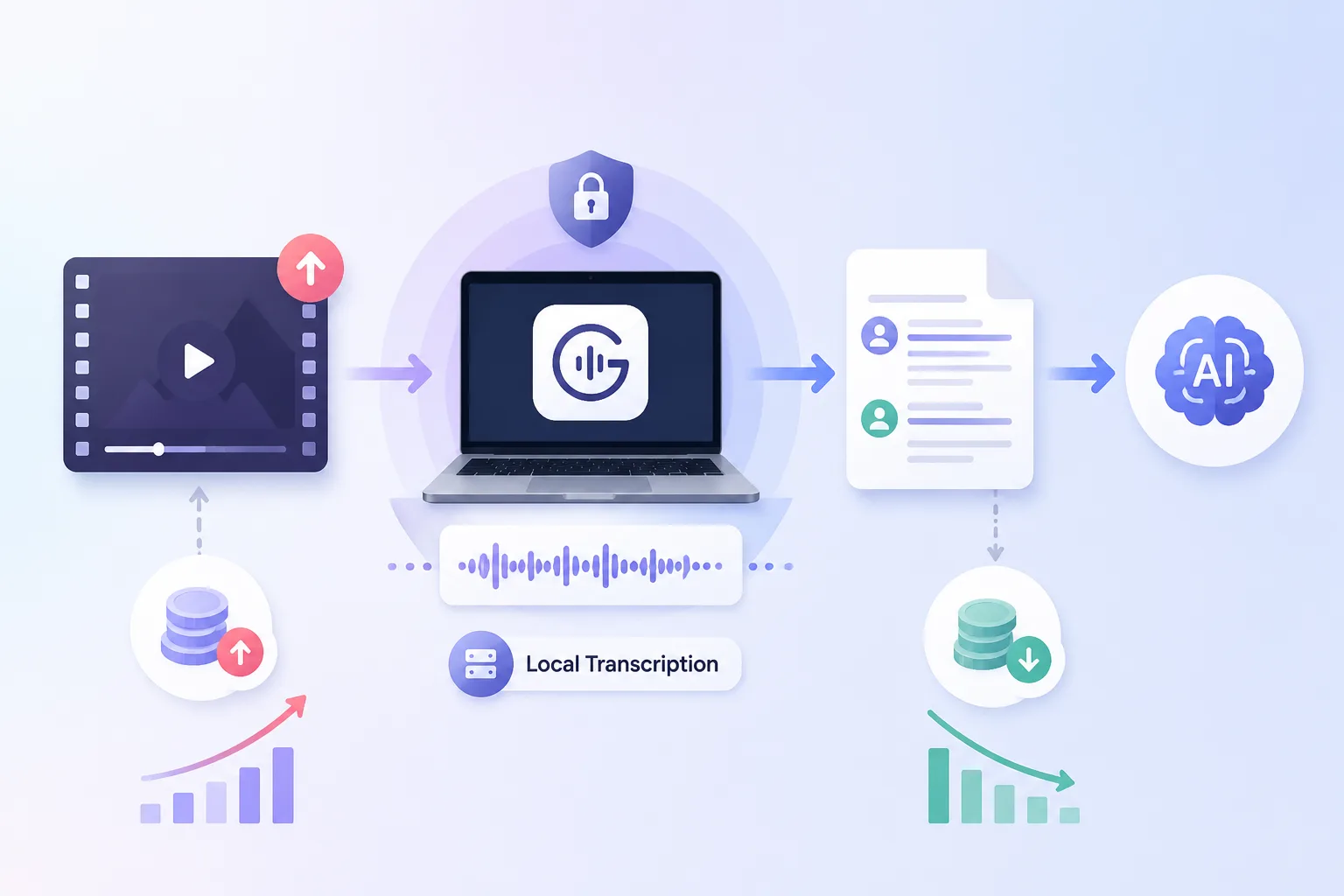
Your core recording and transcription workflow runs locally by default, so transcription costs stay predictable and your audio stays on your device. Cloud transcription and AI summaries are available only when you choose to use them.

Coat
No per-minute transcription billing

Record and transcribe conversations without worrying about minute caps, overage fees, or usage-based transcription pricing.

Predictable
Fixed-cost transcription plans

Choose a transcription plan based on how you work — not how many cloud processing minutes you consume each month.

Pay Once own forever
Optional cloud transcription

Use cloud transcription and AI summaries only when you want extra processing power — not because your core workflow depends on the cloud.
7-Day Free Trial  Full Pro+ Access

Start your trial on your phone or desktop. Add the other device during your trial and get up to 14 days of Pro+ access.After your trial, you’ll switch to Free automatically  no credit card needed, no charges.

The Plans

One plan covers every device. Your paid Geode plan works across iPhone, iPad, Mac, Android, and Windows.No separate licenses, no per-device purchases, and no extra charge for using Geode on more than one device. 

Free

$
0
Start for free


Best for users with lighter recording and transcription needs.


  • 5 hours of local transcription per month
  • Speaker separation (Desktop)
  • 10 local summaries per month(Mac only)
  • 90+ transcription languages and live translation
  • Markdown editing
Recommended

Pro

$
4.17
/mo
Choose Pro
(billed annually at $49.99)
or $8.99 /mo
 
Best for users who want unlimited local transcription and summaries.

  • Everything in Free
  • Unlimited local transcription
  • Unlimited local summaries (Mac only)
  • One paid account works across iPhone, iPad, Mac, Android, and Windows.

Pro+

$
11.99
/mo
Choose Pro+
Best for users who want Pro plus cloud transcription and cloud summaries.

  • Everything in Pro
  • 5 hours of cloud transcription per month
  • 30 cloud summaries per month

Lifetime

$
69.99
Get Lifetime


Best for users who want to own the core workflow long term.


  • Unlimited local transcription forever
  • Unlimited local summaries for Mac forever
  • One account works across iPhone, iPad, Mac, Android, and Windows.

Pricing and plan details may evolve as Geode continues to develop. Subscription features remain available according to your plan, and renewals are charged at the then-current rate.

Latest Articles

Have question?

Can't find the answers you're looking for?  Click the button below to find the answers you need.

Still have a question about Geode?

The Discord is the fastest way to get a real answer.