
Effortlessly record with offline transcription and live translation in 90+ languages, with optional cloud-powered transcription and summaries when needed.
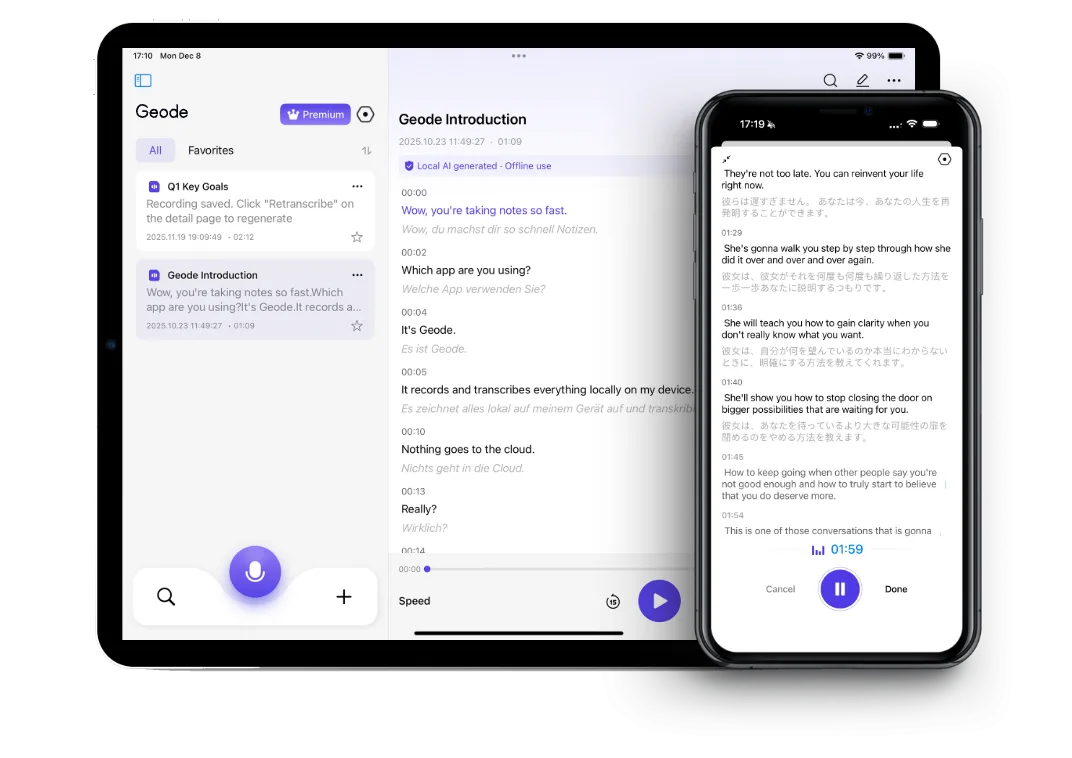
 Your mobile device can do it all.
Geode on mobile is a complete recording and transcription tool — no desktop needed. Record, transcribe, translate where supported, and get cloud summaries entirely from your mobile device. Available on iPhone, iPad, and Android.Same workflow on iPad and Android tablets.
When you're ready to go deeper: Continue on desktop when you want higher-accuracy transcription, speaker separation, and deeper review with on-device summaries available on Mac.One account, one workflow across phone and desktop.
Core recording, local transcription, translation, and review work on your mobile device. Cloud transcription and summaries are available when you choose them— not because the workflow depends on them.
Record for hours — in meetings, interviews, classes, or on the go. Keeps recording through screen lock, app switches, and incoming calls you don’t answer. Built for long sessions.
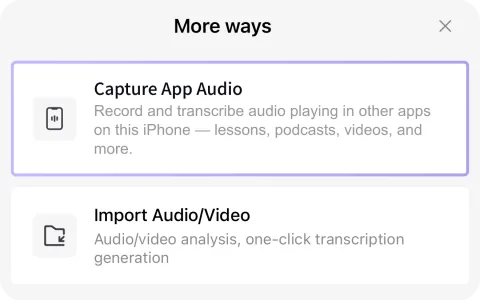
Capture audio playing inside apps on your mobile device — from language apps, podcasts, videos, news apps, courses, and more — then turn it into text you can read, search, translate, and review.
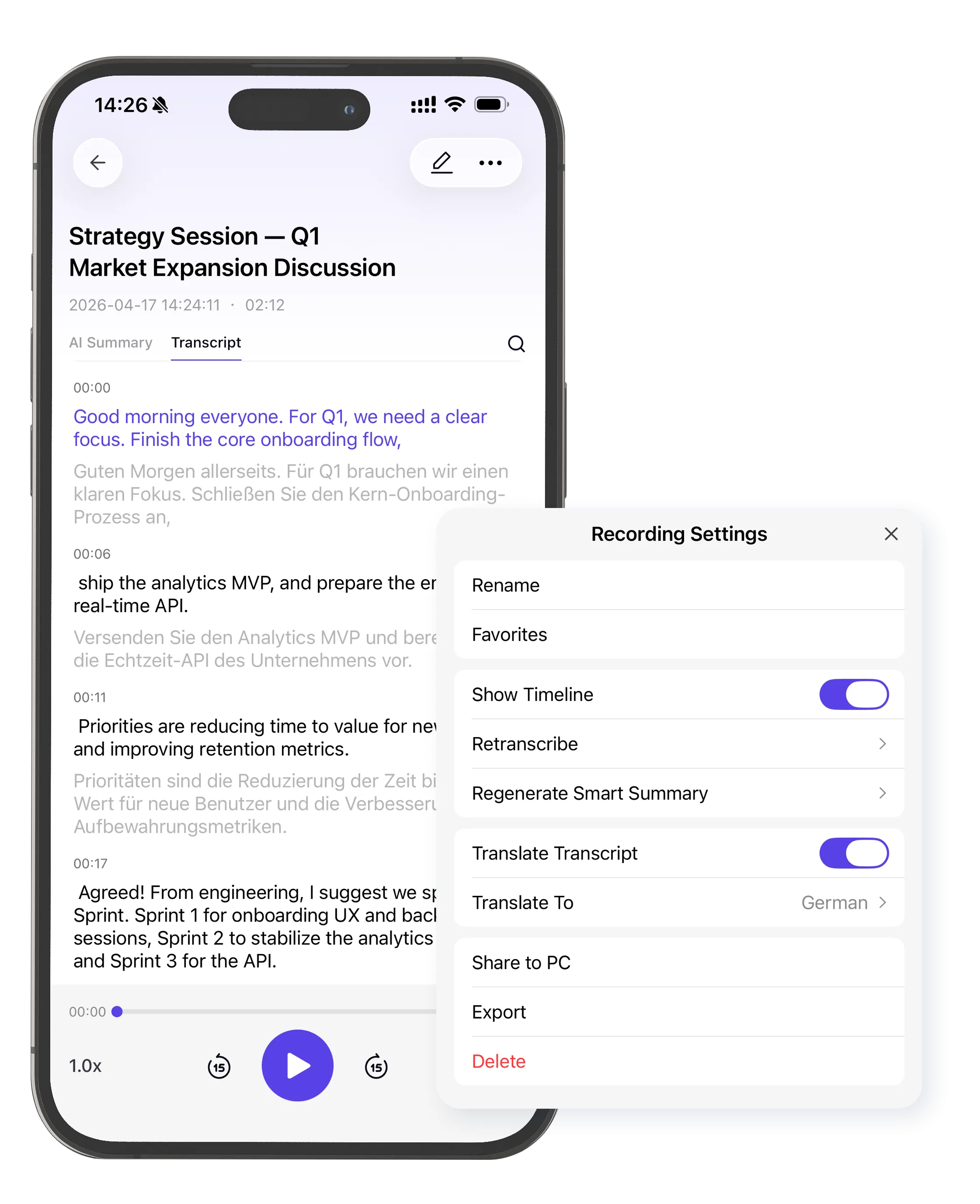
Live translation while you record — side-by-side bilingual text for interviews, multilingual conversations, and cross-border fieldwork across Spanish, Japanese, French, German, Chinese, and beyond.
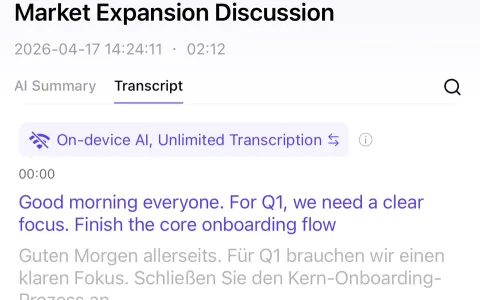
Transcription in 90+ languages happens on your device by default. Your audio never leaves your mobile device unless you explicitly choose cloud.
Already have a recording? Import audio and video files directly into Geode for transcription, translation, and summaries.
Edit, format, and organize your transcripts with the built-in Markdown editor. Clean up text, add notes, and export — all without leaving the app.
Need higher accuracy? Switch to cloud transcription when you want it — not because the product depends on it. Available with Trial, Pro+, and Lifetime plans.
Get structured summaries of recordings with cloud AI, on demand. Available with Trial, Pro+, and Lifetime plans.

Your work happens in the real world — offices, streets, classrooms, wherever the story is. No bot entering the room. No meeting invite required. Record, transcribe, protect your source, move on.

Consultants, coaches, therapists, and advisors whose conversations carry real weight. Geode processes locally by default — your content stays on your device unless you choose otherwise.

Capture lectures, study sessions, and real-world audio — even audio playing inside other apps. Then review with transcripts and translation. Turn listening into something you can actually read, search, and retain.


See plans for iPhone, iPad, Mac, Android, Windows and cross-device use.
Pricing and plan details may evolve as Geode continues to develop. Subscription features remain available according to your plan, and renewals are charged at the then-current rate.
Can't find the answers you're looking for? Click the button below to find the answers you need.
Yes. Geode lets you record, import, and transcribe audio directly on your mobile device. You can use it for conversations, lectures, interviews, voice notes, podcasts, app audio, and language-learning material. Local transcription runs on your device by default, and optional cloud transcription is available when you choose it.
Yes. Geode on the phone is a complete recording and transcription app. You can record audio, capture app audio, import audio or video files, transcribe locally, translate text, edit transcripts, and review your notes on your iPhone. Desktop is optional for deeper workflows like speaker separation and on-device summaries.
Capture App Audio lets Geode record audio playing inside another app on your mobile device, such as podcasts, online courses, videos, language-learning apps, and other audio sources. After recording, Geode can turn that audio into text so you can search, review, translate, and study it.
Yes. You can use Geode to record and transcribe in-person conversations on your mobile device, such as interviews, field notes, class discussions, research sessions, and everyday voice notes. Always follow applicable consent, recording, workplace, and privacy rules before recording conversations.
Yes. Geode supports local transcription on the mobile device by default. That means audio can be processed on your device without needing to upload it to a cloud transcription service. Optional cloud transcription is also available when you want it, but local transcription is the default workflow.
Yes. Geode supports live translation and bilingual transcript review on the mobile device. This is useful for language learners, multilingual interviews, international conversations, and audio content where you want both the original transcript and a translation.
Yes. You can import existing audio and video files into Geode on the mobile device, then turn them into transcripts. This is useful for recorded lectures, interviews, meetings, downloaded audio, video clips, and other files you want to search or review as text.
Geode can generate cloud summaries for recordings on the mobile device when you choose cloud features. Fully on-device Smart Summary is available on Mac. If you want local AI summaries without cloud processing, continue the workflow on Mac.
Geode for desktop is designed for heavier workflows. Desktop supports higher-accuracy transcription options, speaker separation, local AI summaries for Mac, and deeper review workflows. Mobile is best for recording, capturing app audio, importing files, local transcription, translation, and quick review.
Yes. Geode offers a free plan and a 7-day trial with full features. The prcing page clearly states the current free limits and trial terms, such as local transcription hours, cloud transcription access, and whether a credit card is required.
The Discord is the fastest way to get a real answer.
Adding {{itemName}} to cart
Added {{itemName}} to cart